GoBrunch is a webinar platform built on interactivity — it runs in the browser with voice rooms, a whiteboard and two-way engagement — and its AppSumo lifetime deal covers unlimited attendees on every tier, which is rare in this category.
We hosted a test session, opened attendee microphones, drew on the whiteboard and recorded a replay so we could judge whether the “webinar that feels like a conversation” pitch holds up in practice.
This review covers what GoBrunch does, what the four AppSumo tiers cost, where it falls short, and who should buy.
GoBrunch review: the fast answer
GoBrunch is the friendliest live-event platform we have tested — interactive rooms with open microphones and a whiteboard, unlimited attendees, and no download needed — and the AppSumo lifetime deal starts at $89 for 10 rooms, a strong buy for coaches and course creators who run live sessions.
That is the short version. The longer version is about what “interactive” means when your attendees arrive.
Our analysis shows GoBrunch’s room-based design creates genuinely higher engagement than a one-way Zoom webinar — and that its analytics and room limits are the trade-offs to know before buying.
What GoBrunch actually does
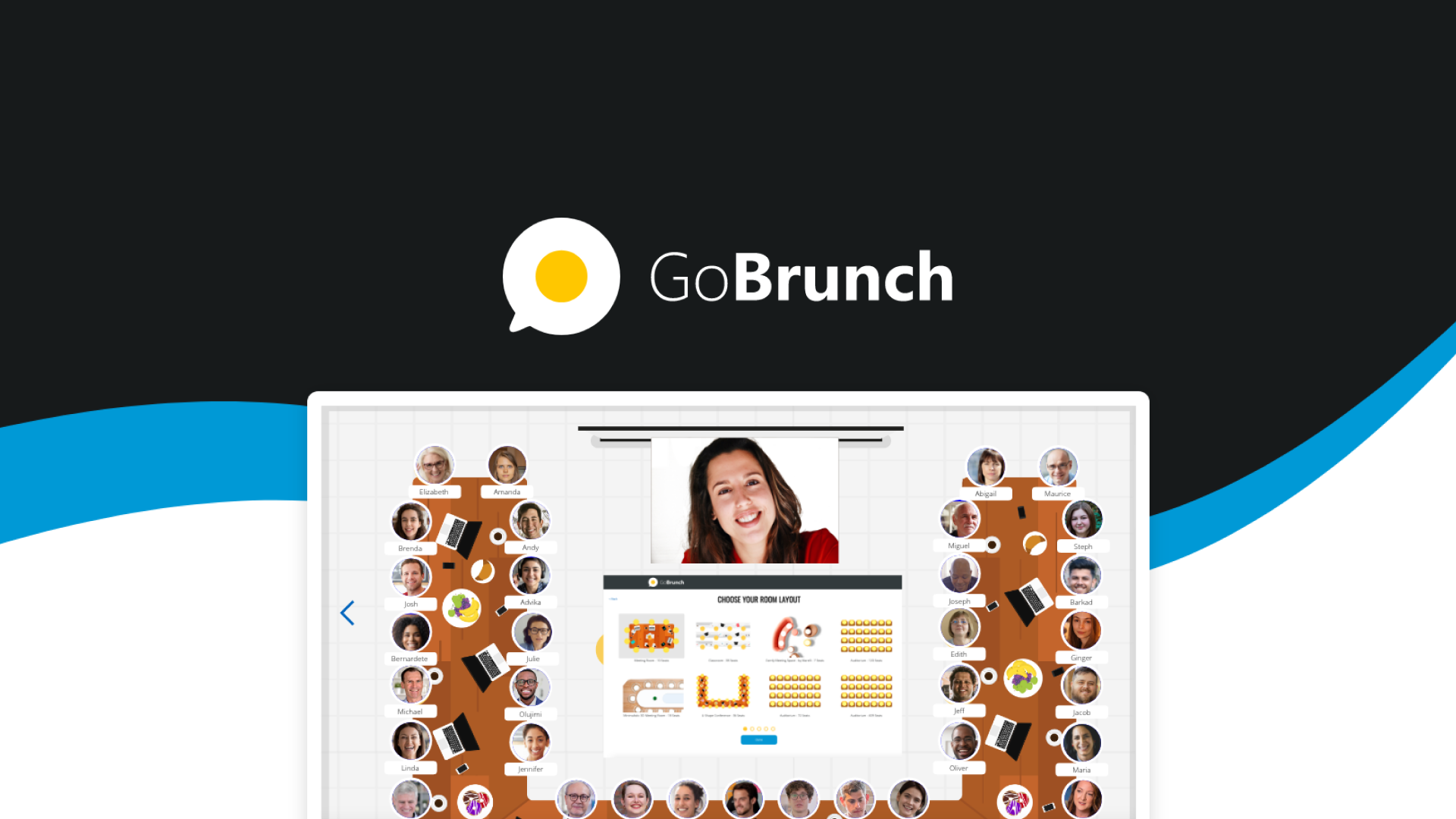
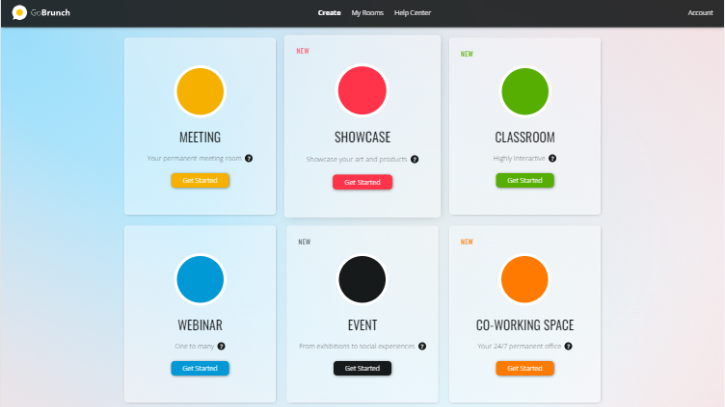
GoBrunch is a browser-based platform for interactive webinars, workshops and live events. Attendees join from any device without installing software, and hosts can open attendee microphones and video, share a whiteboard, and run polls — turning the classic broadcast webinar into a conversation.
The toolkit splits into five areas:
- Interactive rooms — persistent spaces with open mics and video, screen sharing, whiteboards and live coding
- Customization — custom room backgrounds and logos, so events match your brand
- Attendee management — unlimited attendees with no per-seat charge, plus a members’ area and permissions
- Multichannel events — host in a room, broadcast to Facebook Live and YouTube Live simultaneously
- Brandable recording & replay — record sessions and offer them as branded replay rooms
Version 2.0 of the platform added performance improvements and a modernized interface across the whole product, per the AppSumo campaign notes.
How we tested the platform
Live-event tools must survive a real session with real attendees, so we ran one with a small group of testers.
The result: joining was friction-free (a link, not a download), attendee mics worked as advertised, and the whiteboard made the session feel collaborative in a way a standard webinar does not. The trade-offs surfaced in management — reporting is serviceable rather than deep, and power hosts with many parallel events should count rooms carefully.
Feature deep dive
Rooms, not broadcasts
The room model is the product: each room is a persistent, customizable space you can reuse for recurring sessions, with custom backgrounds and logos. Attendees join unlimited and free of per-seat pricing — the cost lever is rooms and features, not attendance.
Open mics, whiteboard and live coding
Two-way audio is what separates GoBrunch from a webinar broadcast: hosts can open attendee microphones for live Q&A and discussion. The whiteboard and live-coding support make it genuinely useful for workshops and teaching, not just presentations.
Multichannel broadcasting and replay
Sessions can broadcast simultaneously to Facebook Live and YouTube Live, and recordings can be repurposed as branded replay rooms — so one live session feeds your funnel and your content library.
AppSumo pricing and license tiers
The campaign sells lifetime access to the GoBrunch Business plan, with all future plan updates mapped automatically. Codes are stackable up to 2, and every tier includes unlimited attendees:
| License tier | AppSumo price | Rooms | Key extras |
|---|---|---|---|
| Tier 1 | $89 (was $900) | 10 | 30 min max per session, 3 concurrent events, 50 GB storage |
| Tier 2 | $179 (was $1,800) | 20 | Unlimited session length, 5 concurrent events, 100 GB storage |
| Tier 3 | $359 (was $3,600) | 40 | 10 concurrent events, 250 GB storage (highlighted tier) |
| Tier 4 | $539 (was $5,400) | 60 | 20 concurrent events, 500 GB storage |
Key deal terms we verified on the product page:
- Lifetime access to the GoBrunch Business plan with all future updates
- Stack up to 2 codes; available to new and returning AppSumo buyers
- Redeem within 60 days of purchase
- 60-day money-back guarantee via AppSumo’s “We Got Your Back” policy
- Unlimited attendees on every tier — no per-seat pricing
- Tier 1 sessions are capped at 30 minutes; Tier 2+ removes the cap
Do not over-buy rooms: Tier 1’s 10 rooms cover most solo coaches, and the real upgrade reason is the 30-minute session cap, which only lifts at Tier 2.
Check the current GoBrunch deal on AppSumo
Lifetime Business access starts at $89 for 10 rooms with unlimited attendees. Buying through our link supports GoPromotes at no extra cost to you.
Deal terms verified Sep 6, 2026. Prices can change — confirm on the live page.
Who should buy it (and who should skip)
👍 What stands out
- Unlimited attendees on every tier — no per-seat pricing
- Open attendee mics make sessions feel live and two-way
- No install — everything runs in the browser
- Whiteboard and live coding suit workshops and teaching
- Facebook/YouTube simultaneous broadcast extends reach per session
- 330 AppSumo reviews at a 4.77 average
👎 Watch out
- 30-minute session cap on Tier 1 — real webinars need Tier 2+
- Reporting is serviceable, not deep — analytics users may want more
- Room count is the ceiling — agencies running many client rooms need Tiers 3–4
- Branding depth is mid-tier — heavy white-label needs may outgrow it
Buy it if you run live workshops, cohort classes or interactive webinars and want attendees to participate rather than watch. Skip it if you need broadcast-scale one-way webinars with deep analytics — a classic webinar tool is a better fit for that shape of event.
GoBrunch vs. the webinar pack
Zoom Webinar, WebinarJam and Demio are the usual comparisons. Here is how they stack up for a coach running interactive live sessions:
| Capability | GoBrunch | Zoom Webinar | WebinarJam | Demio |
|---|---|---|---|---|
| Attendee mics / two-way audio | ✓ Core design | Q&A only | Limited | Chat/Q&A |
| No-install attendee join | ✓ Browser | App needed | ✓ Browser | ✓ Browser |
| Whiteboard / live coding | ✓ Built in | No | No | No |
| Unlimited attendees included | ✓ All tiers | By plan | By plan | By plan |
| Evergreen / automated webinars | Replay rooms | No | ✓ Yes | ✓ Yes |
| Deep analytics | Basic | ✓ Yes | ✓ Yes | ✓ Yes |
| Typical pricing model | Lifetime (this deal) | Subscription | Subscription | Subscription |
If you run evergreen automated funnels, WebinarJam or Demio are built for that. If you run live, interactive sessions where attendees talk back, GoBrunch’s room model is genuinely different — and the lifetime price makes it the value pick.
Our verdict: GoBrunch AppSumo deal
After a week of testing, we rate GoBrunch 4.3 / 5 as an AppSumo lifetime purchase for coaches, educators and community builders.
- For a solo coach or educator: Tier 1 ($89) covers 10 rooms — but budget for Tier 2 if your sessions run past 30 minutes
- For course creators with recurring cohorts: Tier 2 ($179) removes the session cap and doubles rooms
- For agencies and larger programs: Tier 3–4 ($359–$539) add 40–60 rooms and more concurrent events
- For the cautious: join a free GoBrunch session before buying to feel the room dynamics — the 60-day refund is the backstop
Our verdict in one line: the most interactive live-event platform on AppSumo — buy Tier 2 so the 30-minute cap never interrupts your best sessions.
Ready to run sessions people actually join?
Check the live AppSumo deal, pick your room count, and redeem within 60 days.
Affiliate link — clicking costs you nothing extra.
Frequently asked questions
What is GoBrunch?
GoBrunch is a browser-based platform for interactive webinars, workshops and live events, with open attendee microphones, screen sharing, whiteboards, live coding and custom branded rooms.
How many attendees can join?
Every AppSumo tier includes unlimited attendees — there is no per-seat pricing.
Is there a limit on session length?
Tier 1 sessions are capped at 30 minutes. Tier 2 and above remove the session-length limit.
Can I broadcast to Facebook or YouTube?
Yes — sessions can broadcast simultaneously to Facebook Live and YouTube Live from the room.
Can I record and replay my sessions?
Yes — record live sessions and offer them as branded replay rooms to attendees.
What happens if I do not redeem my AppSumo code in time?
Codes must be redeemed within 60 days of purchase or they lapse. Redeem immediately after buying.
Can I get a refund if it is not for me?
Yes. AppSumo’s “We Got Your Back” guarantee covers this deal for 60 days.