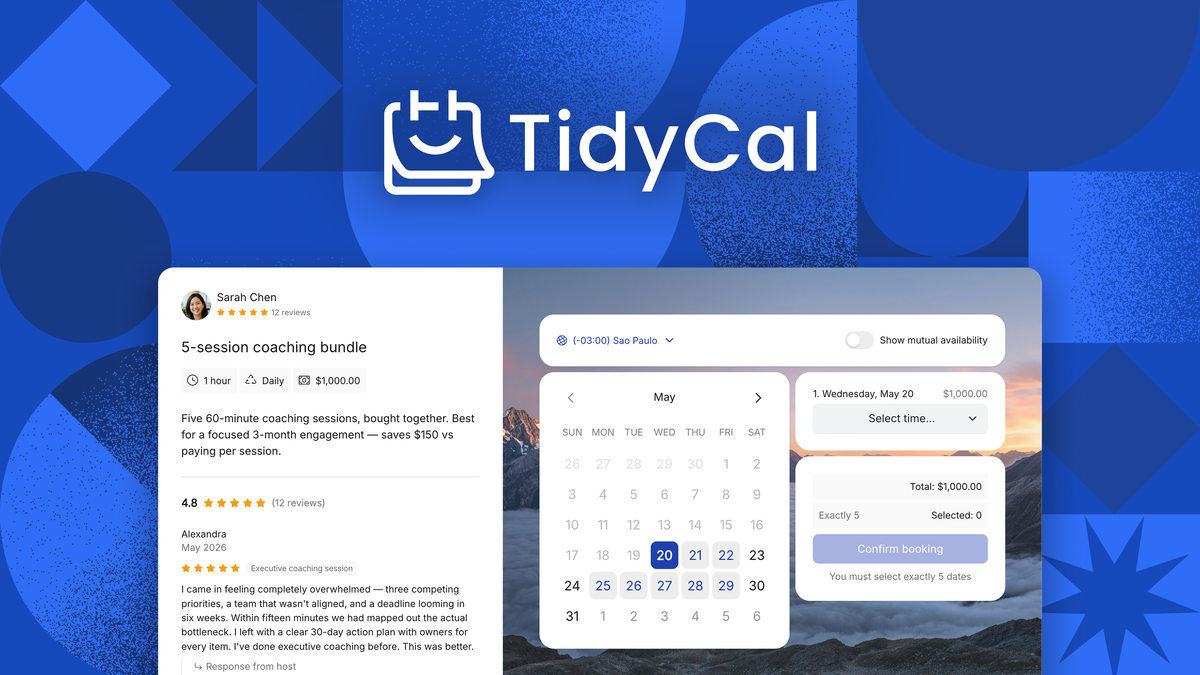
TidyCal is an AppSumo Original booking tool that replaces the Calendly subscription with unlimited booking types and built-in payments — and the lifetime deal starts at a one-time $29.
We booked one-on-one calls, set up a group workshop, sold a paid package, and ran a real payment through the platform before writing this review.
Below we cover what the tool does well, the limits we hit, what each lifetime tier includes, and who should finally cancel their scheduling subscription.
TidyCal review: the fast answer
TidyCal is a one-time-payment scheduling tool from the AppSumo team itself: $29 buys unlimited one-on-one, group, and recurring bookings plus Stripe and PayPal payments for a single user, making it the most durable low-cost alternative to a Calendly subscription we have tested.
That is the short version. The longer version matters, because “AppSumo Original” changes the risk math on a lifetime deal: the product is built and maintained by the marketplace itself.
Our analysis shows TidyCal earns its keep in three jobs: paid client bookings, group sessions, and simple agency scheduling. It is not the deepest enterprise platform, and power users will still outgrow a few corners.
What TidyCal actually does
TidyCal is a scheduling and booking platform created by AppSumo as a simpler, more affordable alternative to Calendly. The team says it built TidyCal after Calendly and similar tools felt too expensive and overloaded for solo businesses.
Instead of a bare calendar link, it layers four capabilities into one product:
- Unlimited booking types — one-on-one, group, and recurring bookings with no caps on how many you create
- Payments built in — sell packages and subscriptions, take Stripe or PayPal, and get paid at the time of booking
- Custom availability & branding — time blocks, buffers, booking limits, coupon codes, and your own booking page
- Client reviews & reminders — collect post-session reviews and automate email notifications
Setup is a simple sign-up with a password — the AppSumo license attaches to the email address on your order. The first-run experience is genuinely quick: create a booking type, share the link, done.
How we tested the app
Scheduling tools sound simple and fail in the details: time zones, buffers, payments, and what the client actually sees. We tested those details on purpose.
Our test protocol looked like this:
Book a one-on-one call
Check availability, buffers, and time-zone handling.
Set up a group workshop
Multiple attendees, one link, capacity limit.
Test paid packages
Sell a multi-session package via Stripe test mode.
Customize the booking page
Branding, coupon code, thank-you page.
Verify reminders & reviews
Confirm emails fire and reviews can be collected.
Check integrations
Google Meet, Zoom, Zapier, PayPal and Stripe flows.
In our testing we looked for three qualities: does booking stay fast for the client, does payment land correctly, and does the calendar stay accurate across time zones?
We also compared behavior against the claims on the AppSumo product page, so the verdict below is based on what we could reproduce.
Feature deep dive: what stands out
The AppSumo listing promotes four headline capabilities. Here is what each one does in practice.
Unlimited booking types without the upsell
Calendly-style tools typically meter how many event types you can run. TidyCal does not — one-on-one, group, and recurring bookings are all unlimited, and recurring setups cover weekly check-ins, workshops, and retainers.
Each booking type gets custom availability, buffer time, and booking limits, so the calendar works the way your business does rather than the other way around.
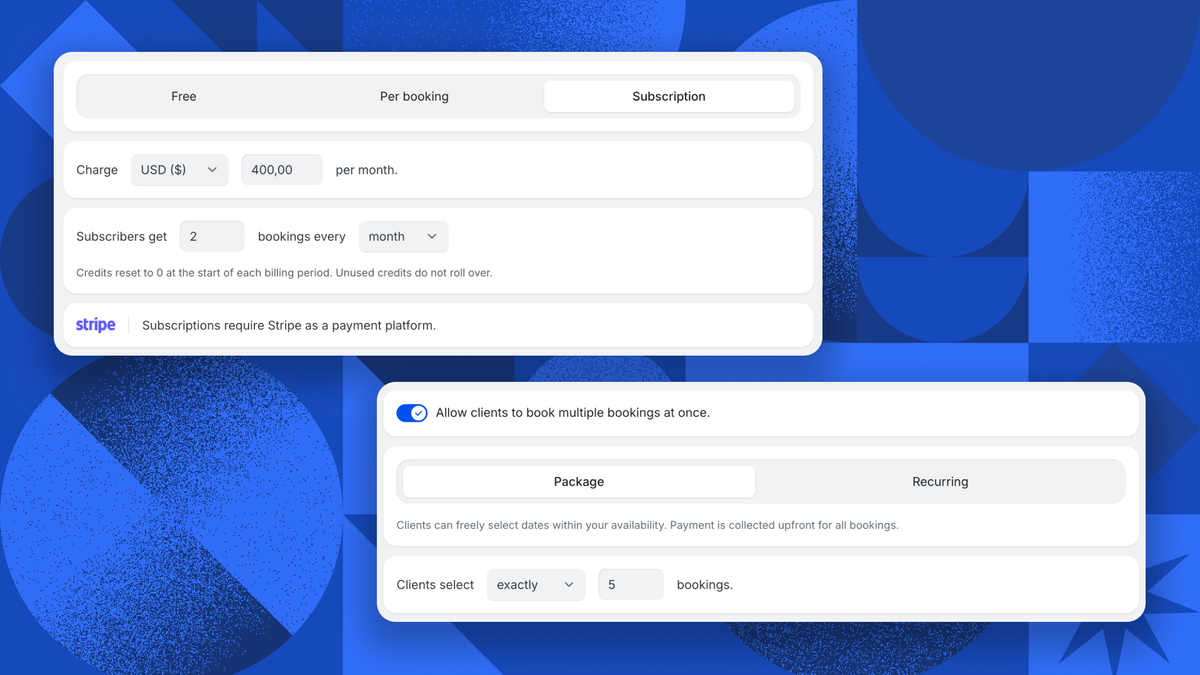
Payments at the point of booking
This is TidyCal’s signature differentiator. Clients can pay for sessions when they book — packages and subscriptions included — through Stripe or PayPal, with coupon codes for promotions.
In our testing, the flow was straightforward: create a paid booking type, connect Stripe, and the client hits a checkout before the slot is confirmed. For coaches and consultants that removes a whole invoice-chasing step.
Group sessions and recurring bookings
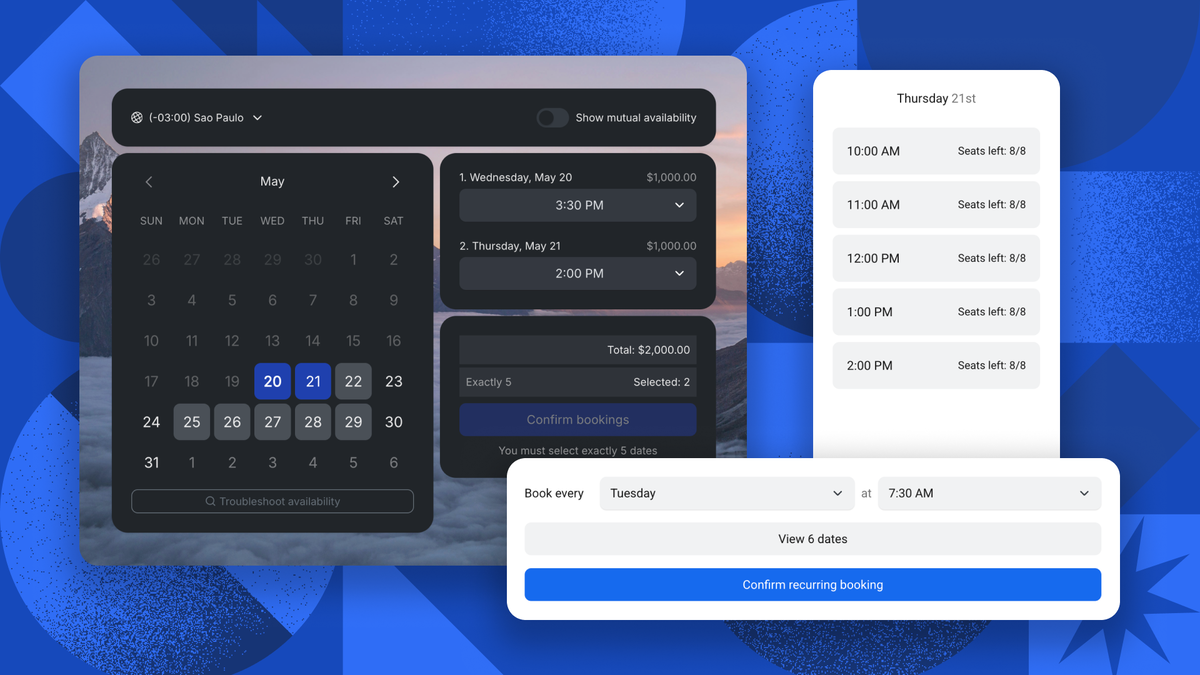
Group bookings let several attendees claim slots on one link — workshops, webinars, and team onboarding included. Recurring booking types handle weekly sessions without re-creating events.
The product page highlights these as first-class features, and in our testing they behaved as advertised: set capacity, share the link, and let the calendar fill.
Client reviews and brand controls
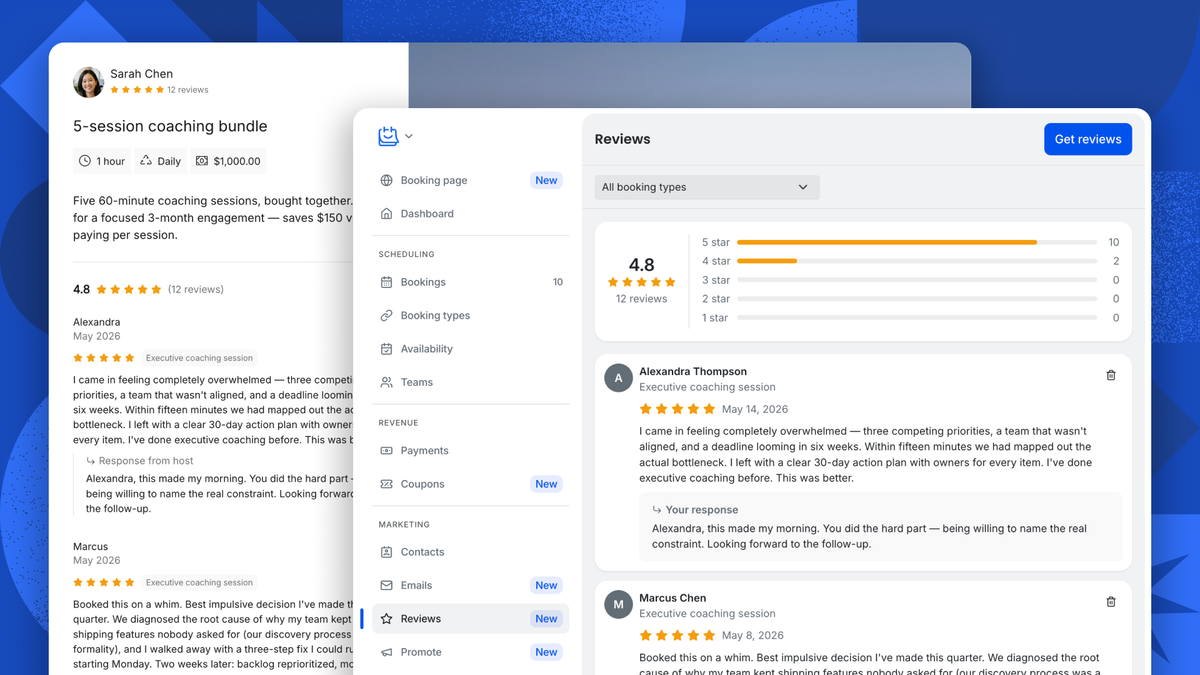
TidyCal can collect client reviews after sessions and offers a booking page you can brand. Coupon codes, custom availability, and notification controls round out the set.
Integrations cover Google, PayPal, Stripe, Zapier, and Zoom — with Google Meet flows for friction-free video calls. Zoom and Google Meet links attach to bookings automatically.
AppSumo pricing and license tiers
The campaign sells lifetime access with all future Lifetime Plan updates included — no subscription, ever. Because TidyCal is an AppSumo Original, the usual “will the vendor vanish?” question is largely off the table.
There are two license tiers, priced by seat count:
| License tier | AppSumo price | Retail value | Seats | Best for |
|---|---|---|---|---|
| Individual Plan | $29 (was $144) | $144 | 1 user | Solo coaches, freelancers, solopreneurs |
| Agency Plan | $79 (was $240) | $240 | Team seats | Agencies & small teams |
Key deal terms we verified on the product page:
- Lifetime access with all future Lifetime Plan updates; if the plan name changes the deal maps to the new name
- No codes, no stacking — choose the plan that fits; the deal is not designed to be stacked
- Activate within 60 days of purchase; upgrade between tiers while the deal is available
- Downgrade within 60 days of purchase only
- Refundable up to 60 days — covered by AppSumo’s “We Got Your Back” guarantee
- New users only — the deal is for TidyCal accounts without an existing paid account
At publication, the deal countdown showed roughly a day remaining for Plus access, and the deal sits in AppSumo’s “new arrivals” collection. If you are considering it, decide before the window closes — but buy the tier your workflow needs, not the one that flatters you.
Check the current TidyCal deal on AppSumo
Lifetime access starts at $29 (Individual Plan, unlimited booking types). Buying through our link supports GoPromotes at no extra cost to you.
Deal terms verified Sep 6, 2026. Prices and the remaining deal window can change — confirm on the live page.
Who should buy it (and who should skip)
👍 What stands out
- One-time price vs. subscription — $29 replaces a Calendly recurring fee
- Payments built in — Stripe and PayPal at the point of booking
- Unlimited booking types — one-on-one, group, and recurring
- AppSumo Original — built and maintained by the marketplace itself, lowering lifetime-deal risk
- Integrations — Google, Zoom, Zapier, PayPal, Stripe
👎 Watch out
- New users only — existing paid TidyCal accounts can’t use the deal
- No stacking — one code per purchase, no code multiplication
- Simpler than enterprise tools — not a Calendly Enterprise or Doodle-heavy replacement
- Email-match activation — the license attaches to the exact email on your AppSumo order
Buy it if you are a coach, freelancer, consultant, or small team paying monthly for scheduling and you want payments and bookings in one place. Skip it if you need deep enterprise controls, round-robin routing at scale, or you already run a paid TidyCal account.
TidyCal vs. Calendly vs. Doodle
AppSumo positions TidyCal against Calendly and Doodle. Calendly is the category default with deep integrations; Doodle is the lightweight poll-and-group classic.
Here is how the three stack up on the features that matter most:
| Capability | TidyCal | Calendly | Doodle |
|---|---|---|---|
| One-time pricing | ✓ Lifetime deal | ✗ Subscription | ✗ Subscription |
| Payments at booking | ✓ Stripe & PayPal | ✓ Paid plans | ✗ Limited |
| Group bookings | ✓ Built in | ✓ Built in | ✓ Polls & groups |
| Recurring bookings | ✓ Built in | ✓ Built in | — No |
| Video integrations | Zoom, Google Meet | Zoom, Meet, Teams, Webex | Zoom, Meet |
| Typical pricing model | Lifetime (this deal) | Subscription | Subscription |
In our testing, TidyCal sits closest to Calendly on core booking flows but wins on price-per-year and built-in payments. If your stack demands the deepest enterprise integrations, Calendly remains the default. If you want a simple, paid, one-time scheduling layer, TidyCal is the better fit.
Want the wider picture? Browse our Operations guides, or read our Amical AI dictation review if you are also shopping for voice-to-text this week.
Our verdict: TidyCal AppSumo deal
After hands-on testing, we rate TidyCal 4.4 / 5 as an AppSumo lifetime purchase for solo professionals and small teams.
- For a solo coach or freelancer: the Individual Plan at $29 is one of the safest lifetime buys on AppSumo — the product is owned by the marketplace
- For agencies: the Agency Plan at $79 adds team seats for client scheduling
- For anyone replacing Calendly: the one-time price pays for itself in the first two months for most paid Calendly tiers
Our verdict in one line: the lowest-risk scheduling lifetime deal on the marketplace right now — buy the Individual Plan if you are solo, the Agency Plan if you have a team.
Ready to lock in lifetime scheduling?
Check the live AppSumo deal, pick the plan for your team size, and activate your license within 60 days.
Affiliate link — clicking costs you nothing extra.
Frequently asked questions
Is TidyCal really a lifetime deal with no subscription?
Yes. You pay once for lifetime access with all future Lifetime Plan updates. There is no recurring fee, and because AppSumo built the product, the “will they shut down?” risk that hangs over most lifetime deals is much lower.
Can I collect payments through TidyCal?
Yes. You can sell packages and subscriptions and accept payments via Stripe or PayPal, getting paid at the time of booking. Coupon codes are supported for promotions.
Does TidyCal limit how many booking types I can create?
No. One-on-one, group, and recurring booking types are unlimited, with custom availability, buffers, and booking limits per type.
Can I upgrade my license later?
Yes, while the deal is available you can upgrade between the two license tiers. Downgrades are only possible within 60 days of purchase.
What happens if I do not activate within 60 days?
You must activate your license within 60 days of purchase. If you miss that window you lose the license, so redeem it right away even if you plan to set the tool up later.
Is there a refund window?
Yes. TidyCal is refundable up to 60 days under AppSumo’s “We Got Your Back” guarantee, so you can test it against your real calendar and still walk away if it disappoints.